


The donor catalog shows sites you can buy links from. Here you search for donors, filter them, mark the ones you need and export them to Excel.
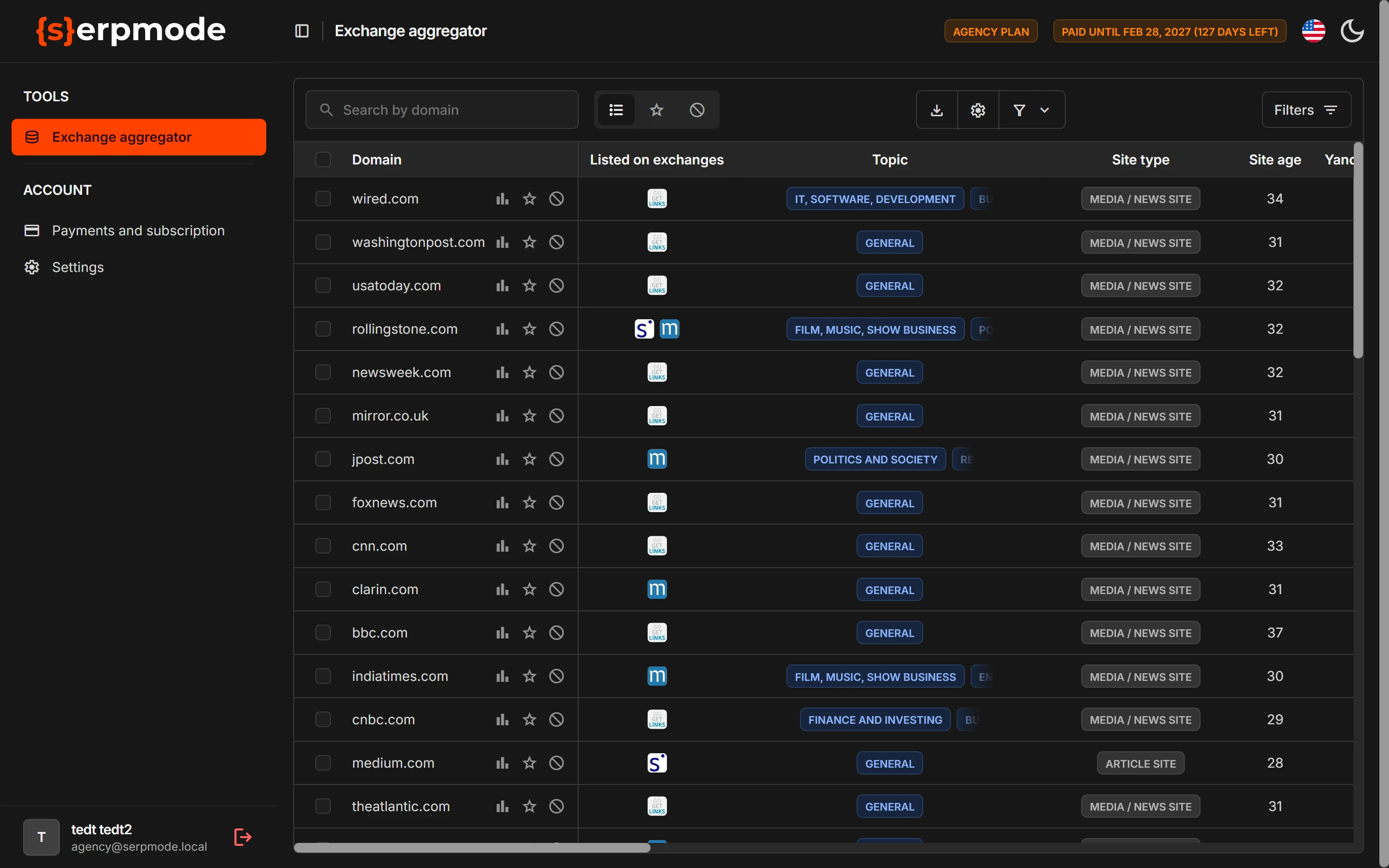
Table
- There are 50 rows on a page.
- The «Domain» column is pinned and always comes first. You cannot switch it off.
- The other columns are split into the groups «Main», «GEO», «Ahrefs» and «Majestic». What each column means is described on the page «Catalog columns».
The «Domain» cell
- The domain name is a link to the site itself. It opens in a new tab.
- To the right of the name there are icons: «Show history for the last 12 months» (see «Domain history»), «Favorites» and «Blacklist» (see «Favorites and blacklist»).
What is above the table
- The «Search by domain» field. It searches by the domain name only.
- Next to the search there are three tab icons: «All», «Favorites», «Blacklist».
- On the right there are buttons:
- «Export the table»: export to Excel (how to export);
- «Catalog settings» (gear): choose columns and filters, indicators (more);
- «Ready-made filter sets» (funnel): sets from SerpMode (more);
- «Filters» opens the filter panel (more).
Which domains are in the catalog
The catalog has domains that are sold on at least one link exchange. Dead sites and drops are filtered out. If you did not find the domain you need, open the page «Why a domain is not in the catalog».
What depends on the plan
Columns, filters and features depend on the plan. What the plan does not include is not shown on the screen: there are no empty spaces. The exception is ready-made filter sets: a set with a filter that is not in your plan is shown gray, with a lock, and does not open («Saved filter sets»). If you don’t see a column or a button from the help, it may not be in your plan. What each plan includes is described on the page «Plans: what is included and how to choose».
If the subscription is not paid
Without payment, the catalog and exports are closed: the «No access to the catalog» screen opens instead. You can evaluate the catalog before buying during the trial. For details, see the page «Subscription end and access without payment».