


If you often search for donors with the same conditions, save them as a set. Then come back to it in one click in the «My filters» block.
How to save a filter
- Click «Filters», set the conditions you need and click «Apply».
- At the bottom of the panel, next to «Apply», the «Save» and «Reset» buttons appear. Without conditions, they are not there. Click «Save».
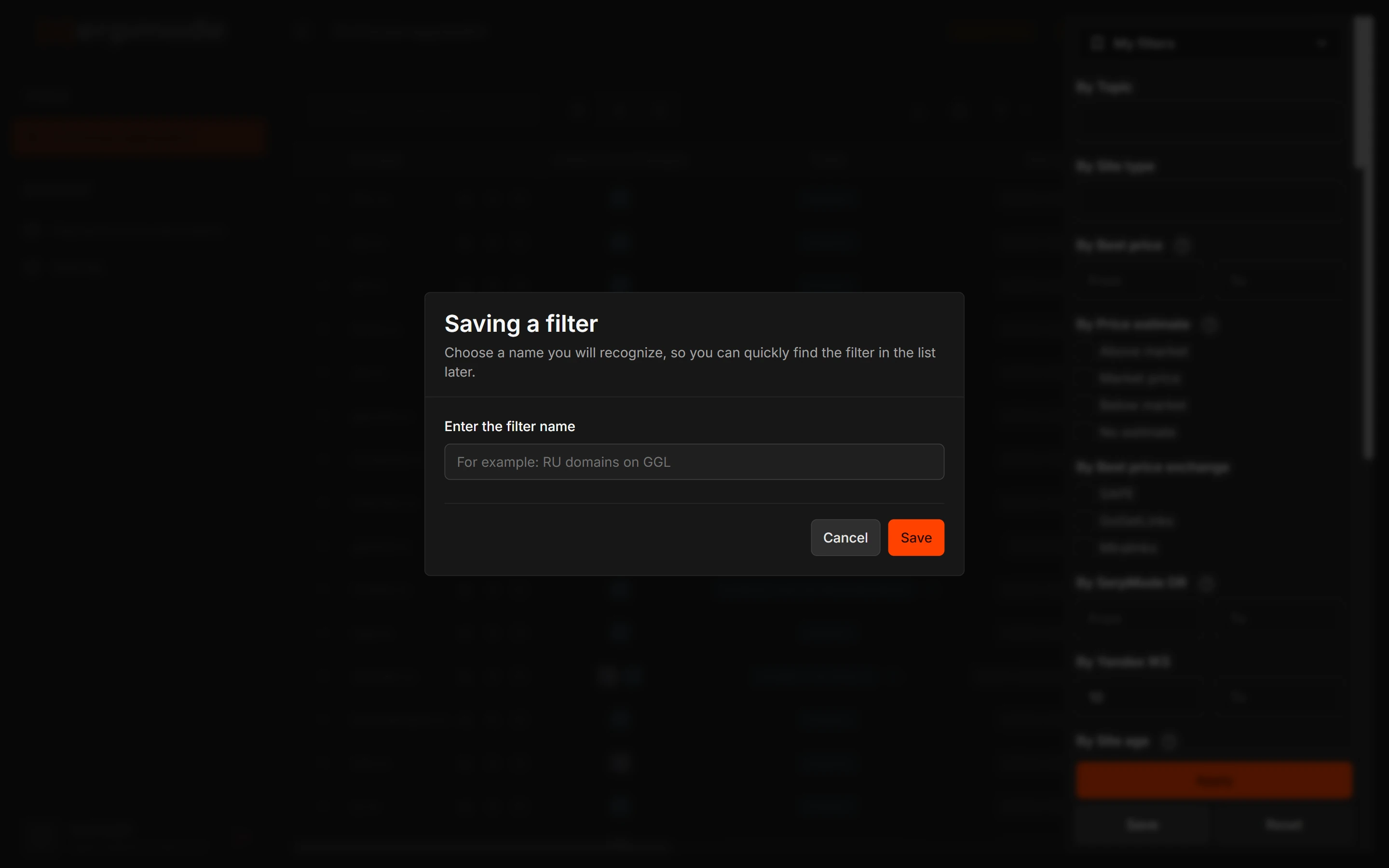
- In the «Saving a filter» window, enter a name in the «Enter the filter name» field. The hint in the window: «Choose a name you will recognize, so you can quickly find the filter in the list later.» The example in the field: «For example: RU domains on GGL». The name is up to 120 characters.
- Click «Save» in the window. The message «The filter set is saved» appears.
A filter includes only the selection by filters. Search by domain, sorting and the chosen tab are not part of it.
My filters
Your filters are in the filter panel, in the «My filters» drop-down list at the very top. Click a name, and the saved conditions are applied. If there are no saved filters, the opened list says: «No saved sets yet».
To delete a filter, click the trash icon («Delete») next to it. The message «The filter set is deleted» appears. Your other sets are not affected.
Ready-made filter sets
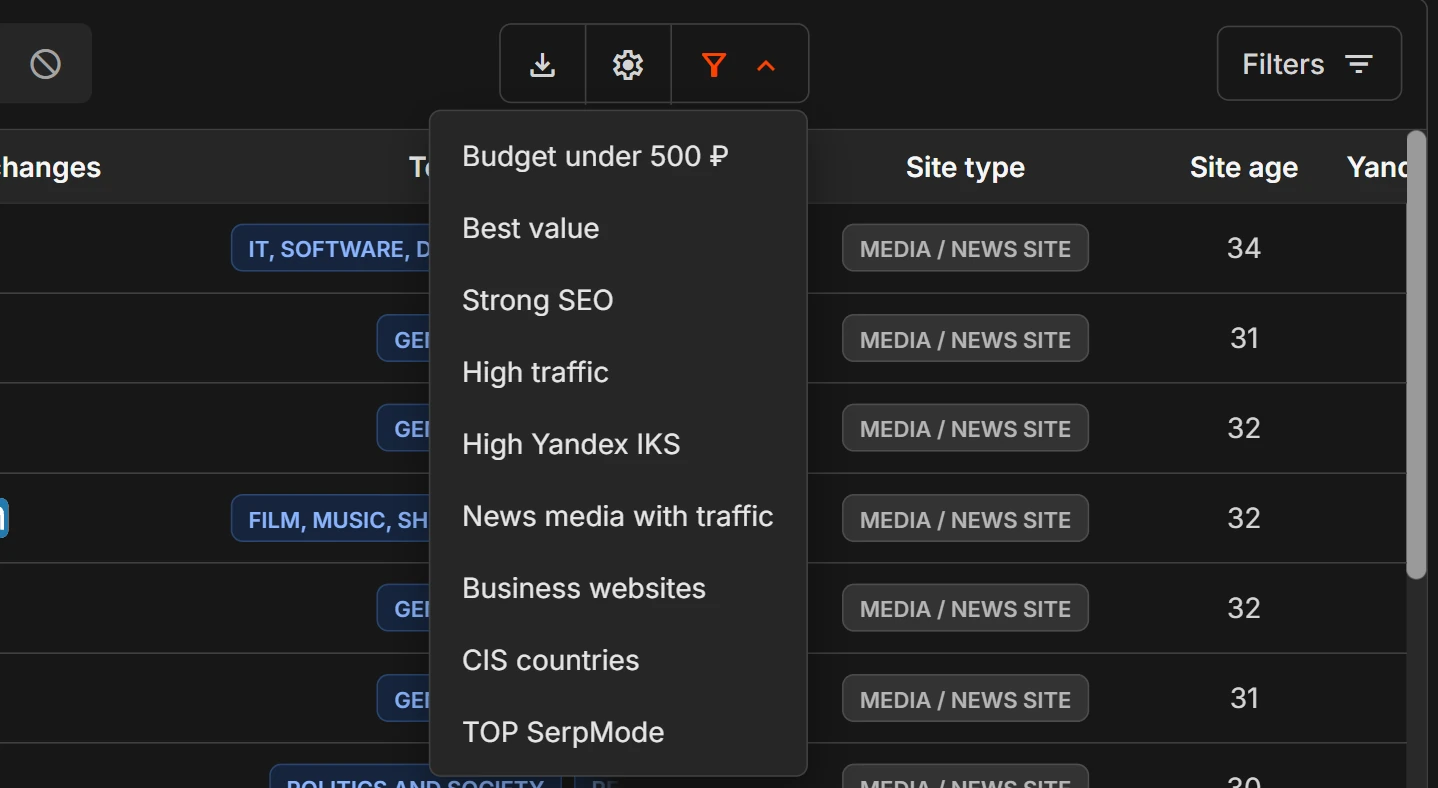
The «Ready-made filter sets» button (a funnel) above the table opens a list of sets from SerpMode. It has nine sets: «Budget under 500 ₽», «Best value», «Strong SEO», «High traffic», «High Yandex IKS», «News media with traffic», «Business websites», «CIS countries» and «TOP SerpMode». Click a name, and the set’s conditions are applied. Ready-made sets cannot be deleted. When a ready-made set is applied, «Reset filters» appears as the first line in the list: click it to return the catalog to the full view.
If a set has a filter that is not in your plan, the set is gray in the list, with a lock and the hint «Not included in your plan». Such a set does not open: otherwise you would get a different selection under the same name.
Your own filters are currently available on the «Team» and «Agency» plans, and ready-made ones («Preset filters») on all plans. Which ready-made sets are open depends on your plan.
Messages when saving
- «There is nothing to save: no filters are set». Choose at least one filter first.
- «The same set is already saved as …»: you already have a set with exactly these conditions, open it by its name.
- «A filter with this name already exists»: choose a different name.