


SerpMode sends notifications by email and in Telegram. Service emails about payment, the end of access and sign-in from a new device cannot be turned off. News and offers arrive only with your consent.
Channels
- Email. Emails come from noreply@serpmode.com to your account email.
- Telegram. Messages come from the bot @serpmode_notify_bot if you connected it: how to connect.
Events
The «Events» block on the «Settings» page has a note: «Notifications about the subscription and about signing in cannot be switched off for email». The table has the columns «Event», «Email» and «Telegram».
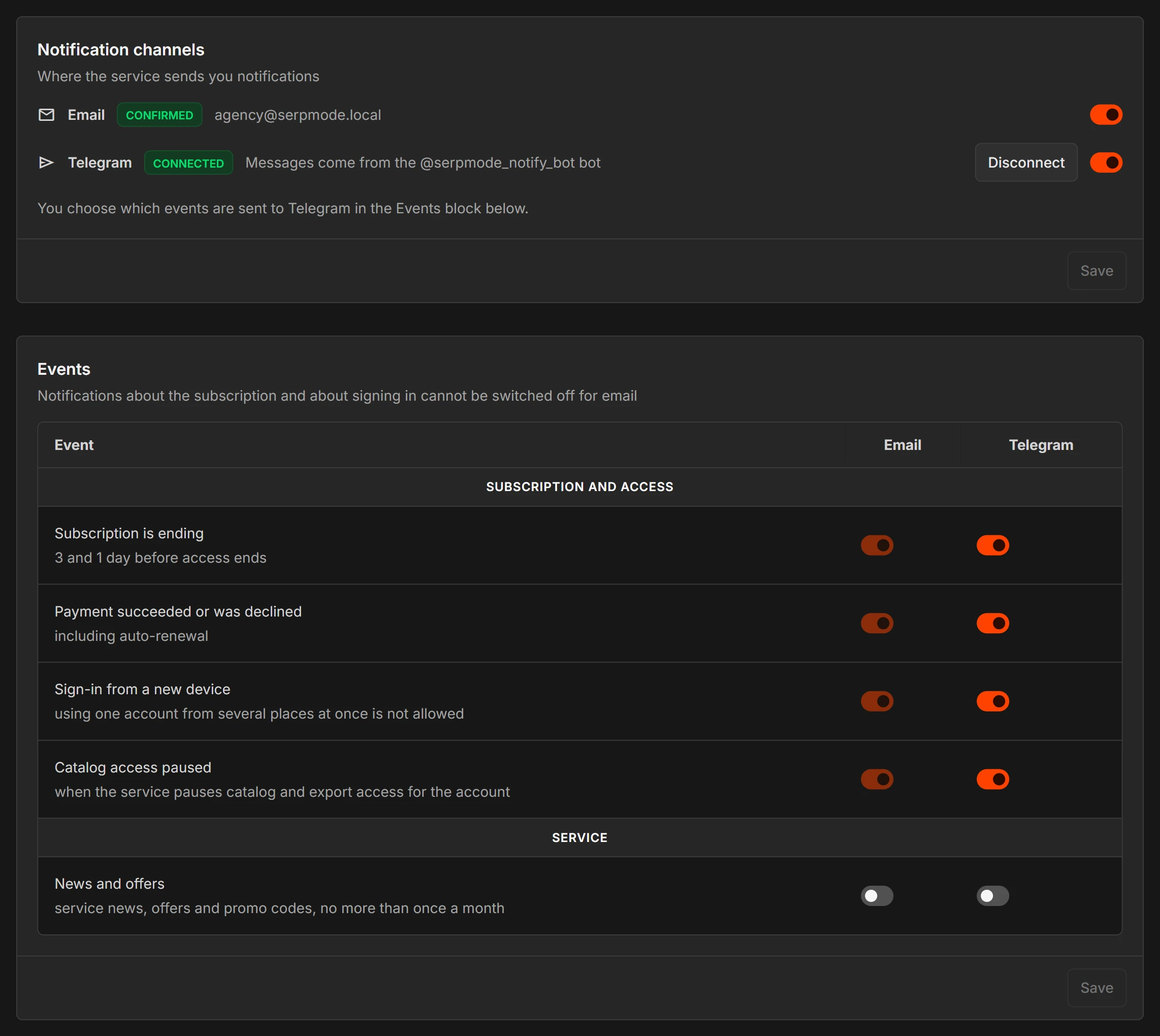
The «Subscription and access» group. You cannot turn off email for these events, but you can turn off Telegram.
- «Subscription is ending» arrives 3 days and 1 day before access ends. Emails arrive at 10:00 Moscow time.
- «Payment succeeded or was declined» also arrives for auto-renewal.
- «Sign-in from a new device»: read more.
- «Catalog access paused» arrives when the service pauses access to the catalog and exports: read more.
The «Service» group.
- «News and offers»: service news, offers and promo codes, no more than once a month. They arrive only with your consent. You can turn them off at any time: how to unsubscribe.
How to set up
- Open «Account → Settings».
- In the «Notification channels» block («Where the service sends you notifications») turn «Email» and «Telegram» on or off.
- In the «Events» block, use the switches to choose which events arrive in each channel.
- Click «Save» in this block.
If emails do not arrive
- Check your «Spam» folder.
- Add noreply@serpmode.com to your contacts.
- Make sure the «Email» channel is turned on in «Settings».
You do not need to reply to emails from this address. Write your questions to support@serpmode.com or info@serpmode.com.